Multitask-learning in recommendation system
In the Recommendation system domain, especially for ranking, it is very common to train a multi-task learning model (MTL) to learn different objectives at once so that the model could learn:
- Balance different business need and objective: E.g. balancing the CTR target vs the watching/reading time target. (Click-bait items vs meaningful content)
- Extract useful features from different label perspectives: E.g. insights for the high CTR but low watching/reading time vs high CTR and high watching/reading time
Therefore, we need a dataset that contains multiple labels to enable us evaluating different MTL algorithms. Further, an ideal dataset should be constructed from the real world user logs so that the evaluation is based on the real world distribution instead of a synthesized/hypothesized distribution.
Ali-CCP dataset
Fortunately, Alibaba has published such dataset: Alibaba Click and Conversion Prediction (Ali-CCP, link ) It was introduced in the well-known ESMM paper. This dataset is built from the real world traffic logs in Taobao and it is a loarge scale dataset. (~42M for train and eval respectively)
The data source illustration is as the below screenshot (shared from the Ali-CCP website link) 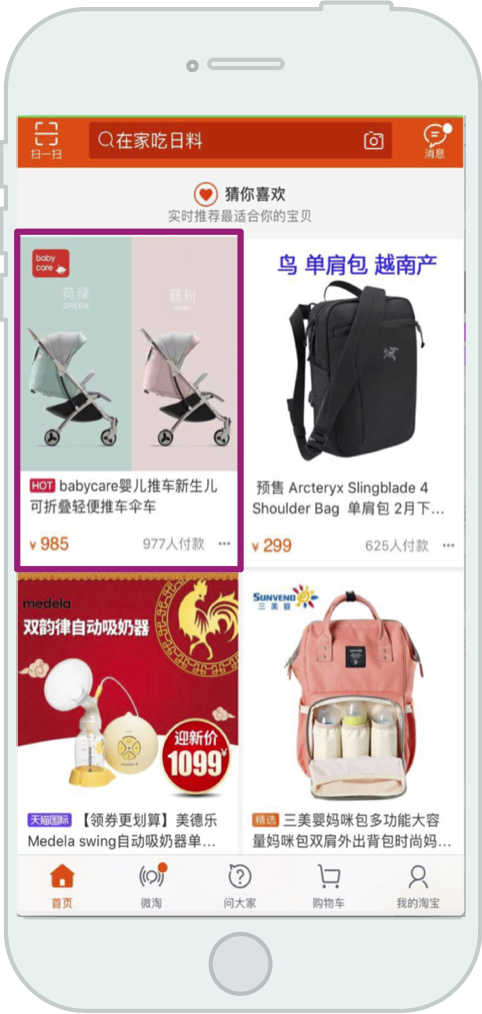
The below is the provided files for downloading and their unzipped file size (shared from the Ali-CCP website link) It separates out the features into one file (common_features) and per-example labels into another file (sample_skeleton) to reduce the storage cost 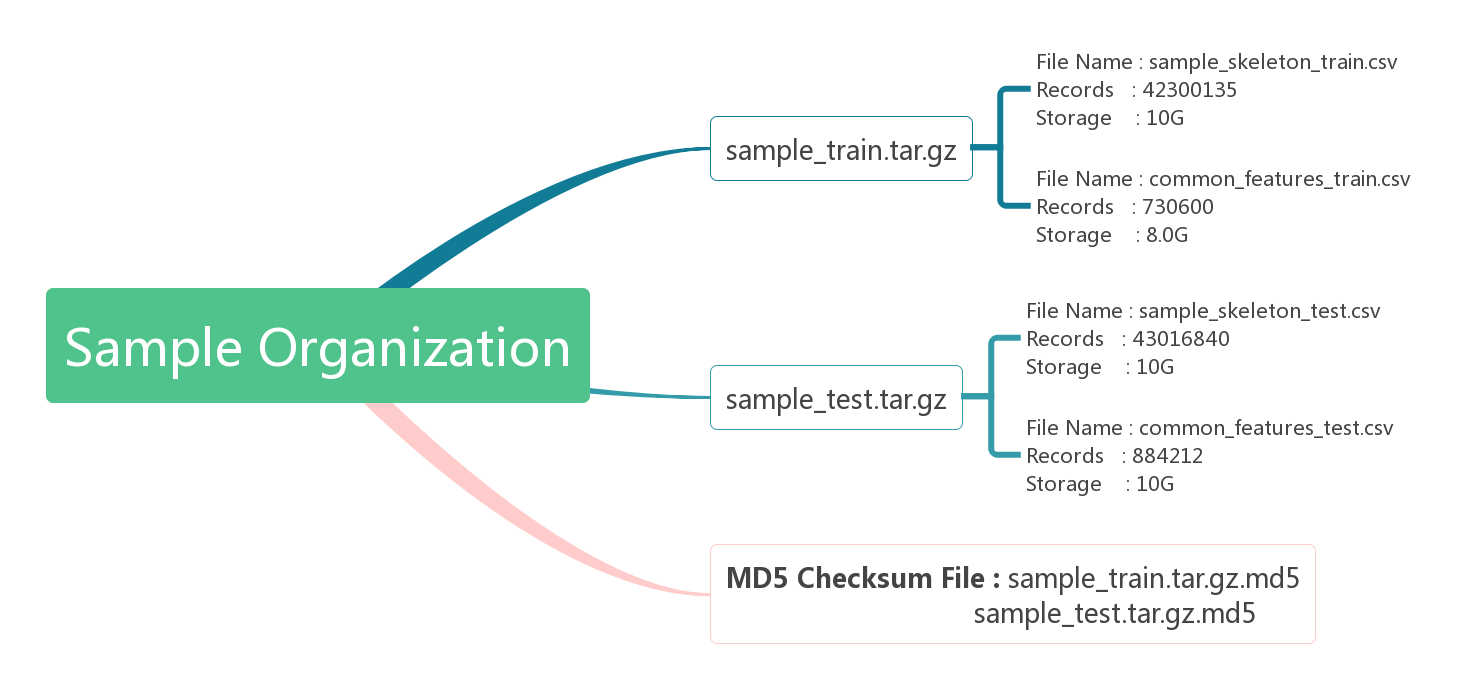
Sample skeleton
Conceptually, each sample is composed of the items shown in the following (shared from the Ali-CCP website link) : 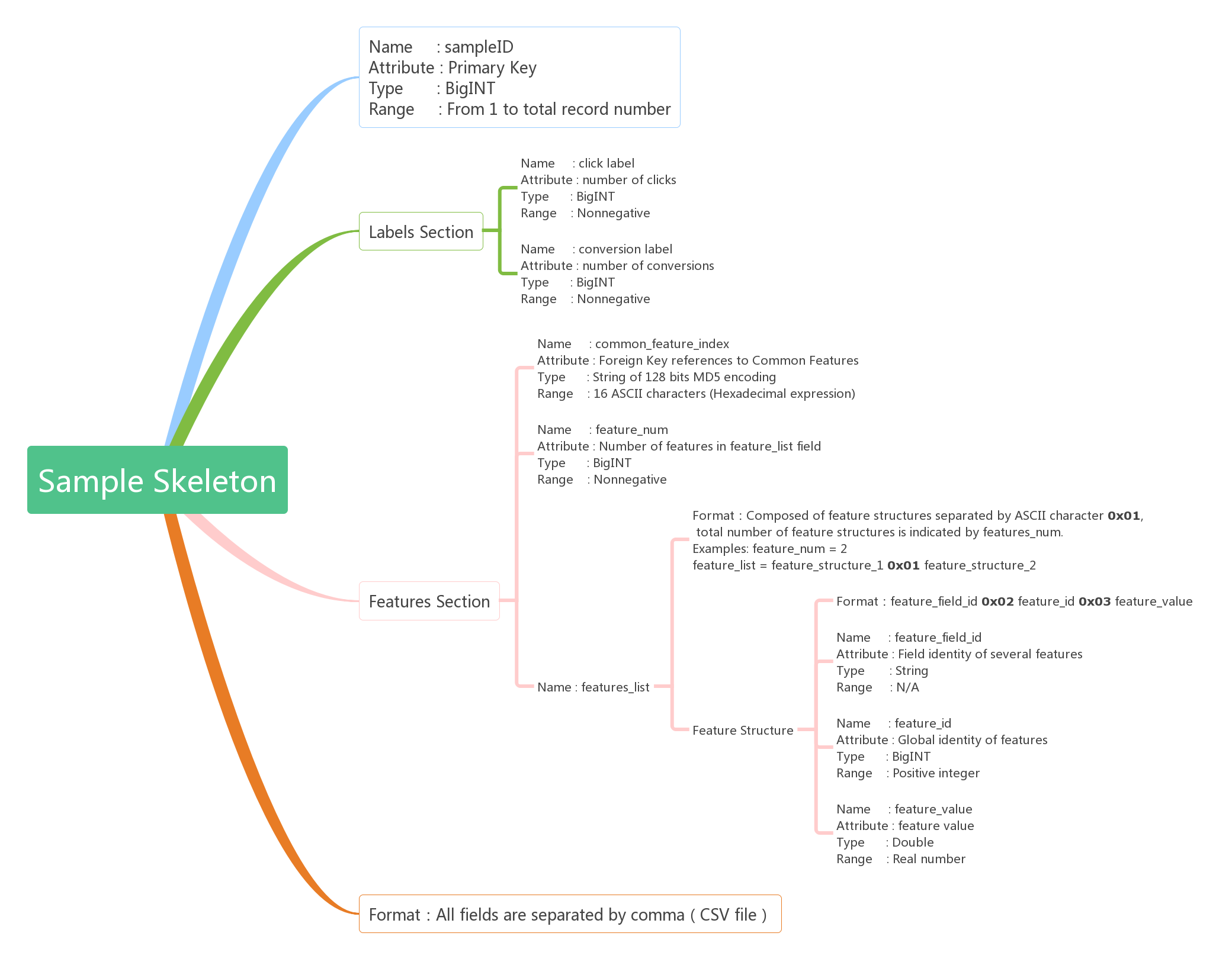 The sample skeleton dataset has 5 fields, for each sample
- sample ID: int64
- labels: two kinds of label, click and conversion
- click label: int64
- conversion label: int64
- Note: Conversion = 1 means click must = 1
- common feature index: object
- This is index that is used to be joined with the provided common_feature dataset
- feature_num: int64
- Stating how many features are packed in
feature_list
- Stating how many features are packed in
- feature_list: object
- The packed per-impression features which could not be put into the common feature
Features
The Ali-CCP dataset documentation defines the following 23 feature field IDs in the Table 2 and we show the Table 2 here for easy reading:
| Feature category | Feature field ID | Description |
|---|---|---|
| User | 101 | User ID |
| User | 109_14 | User historical behaviors of category ID and count |
| User | 110_14 | User historical behaviors of shop ID and count |
| User | 127_14 | User historical behaviors of brand ID and count |
| User | 150_14 | User historical behaviors of intention node ID and count |
| User | 121 | Categorical ID of user profile |
| User | 122 | Categorical group ID of user profile |
| User | 124 | User gender ID |
| User | 125 | User age ID |
| User | 126 | User consumption level, type I |
| User | 127 | User consumption level, type II |
| User | 128 | Whether the user is employed |
| User | 129 | User geographic information |
| Item | 205 | Item ID |
| Item | 206 | Category ID to which the item belongs |
| Item | 207 | Shop ID to which the item belongs |
| Item | 210 | Intention node ID to which the item belongs |
| Item | 216 | Item brand ID |
| Combination | 508 | Combination of fields 109_14 and 206 |
| Combination | 509 | Combination of fields 110_14 and 207 |
| Combination | 702 | Combination of fields 127_14 and 216 |
| Combination | 853 | Combination of fields 150_14 and 210 |
| Context | 301 | Categorical representation of position |
For illustration more clearly, a concrete example is as below (not a real case, only for illustration):
- Suppose the user recently has engaged with three categories
- electronics: 12 times
- fashion: 3 times
- sports: 1 time
- In a raw representation would be `109_14\x02electronics\x0312\x01109_14\x02fashion\x033\x01109_14\x02sports\x031
- It means that:
- segment 1
- field id: 109_14 (table 2 mapping)
- feat: electronics/hashed id (which category exactly)
- val: 12 (for this feature, there is an accompanied
val) and here it means how many times
- segment 2 and segment 3 is the same for fashion and sports
- segment 1
How features are processed/used
We shared how we built the dataset for our model training here ( it is using the code here and here for reference)
From the above table we see that each feature field id would have two fields: feat and val(optional). We would turn that two fields into two features, that is:
- 109_14: feat
- D109_14: val For the field id without
valwe would just have one field. In other words, we would have the representation of bothelectronicand12.
However currently there is a caveat: for each field id we only keep the latest one for simplicity. In the above example, we only have 109_14: sport, 1 as our model input. This is definitely something should be improved further.
Common features
In the processing code we do the following:
- We first load the common features as a bag of dictionary with the common feature key as the dict key
- We load the samples, prepare a dictionary F holding all the features listed in the skeleton dataset
- We fetch the common features out from common feature dictionary and merge it into F
- We do the above processing on top of the merged features for this instance